
LinkedIn Learning
LinkedInEducation
4.82.31K Reviews
- Version
- 2.308.4
- Installs
- 10.00M
- Age Rating
- Everyone
Screenshots
Our Review of LinkedIn Learning
 Analysis by Appyee
I find LinkedIn Learning easiest to judge by how it fits into an ordinary week: it is a mobile education app for building work-related knowledge in small sessions, rather than a replacement for a classroom, a mentor, or hands-on practice. That distinction matters. A video can explain a concept clearly, but you still need to make time to try the skill yourself and decide whether the course matches what you actually need.
When the connection becomes part of the lesson
Learning on a phone often happens in places where the network is less dependable than it is at home. A course may seem like a simple choice while you are browsing on Wi-Fi, then become harder to use when you move to a train, a crowded café, or a building with patchy reception. I would treat course discovery and lesson viewing as separate moments: find a useful course when you have a stable connection, then check that the way you plan to study will work in your particular setting.
That small bit of planning also helps prevent a common learning trap: opening a course because it looks relevant, watching a few minutes, and then abandoning it when the moment gets interrupted. Before pressing play, I like to decide what I want from the session. It could be understanding one unfamiliar term or noting a technique to test later. A clear, modest goal makes a short mobile session feel worthwhile even if I cannot stay online for long.
Making short sessions useful on mobile
The video-based format can suit a lunch break or a wait between errands, but watching while distracted is not the same as learning. I get more out of a brief session when I pause to jot down one takeaway and one question, rather than trying to finish as much content as possible. For practical subjects, I would also keep a separate place to try the steps afterward; a phone screen is convenient for viewing, but it is not always the best workspace for applying a spreadsheet, design, or coding lesson.
For example, imagine I want to get more comfortable with a spreadsheet task at work. I can use a quiet part of my commute to watch a focused lesson, write down the function or workflow I want to remember, and then try it at my desk later. If the commute has unreliable service, I should not assume the video will be available just because I opened the course earlier. Planning around the connection keeps the lesson from becoming a frustrating test of reception.
Recovering when a study session is interrupted
Mobile learning rarely happens in perfect conditions. A call, a change of location, or a lost signal can break concentration just as a lesson is getting useful. I try to make recovery simple by keeping track of the course and the point I wanted to understand, instead of relying on memory to reconstruct my plan later. If playback stalls, switching to a stable connection before continuing is often more productive than repeatedly trying the same spot.
There is also a difference between resuming a video and resuming a thought. Even if I return to the right lesson, I may have lost the thread of an explanation. A quick note such as “check how this example applies to my report” gives me a way back into the material. This is a practical habit rather than a special app feature, and it makes a disrupted session less likely to turn into an abandoned course.
Keeping data use and attention in balance
Video lessons can be a poor match for a tight mobile data allowance if I play them casually whenever I have a spare minute. I would use Wi-Fi for browsing and longer study sessions when possible, and save mobile data for a lesson I have chosen deliberately. That approach is useful even when data is not a major concern: it encourages me to learn with a purpose instead of treating a course as background entertainment.
I also avoid starting a long lesson when I know I will need to stop soon. A shorter, clearly chosen segment is easier to absorb and less likely to leave me searching for where I was when I return. If I need to practise a skill, I plan that practice separately rather than assuming that viewing a demonstration will be enough. That is especially important for technical or creative topics, where doing the task is part of learning it.
Who gets the most from this learning style
The app is a natural fit for someone who wants to explore business, technology, or creative subjects in manageable pieces and can turn lessons into practice. It can also help a professional prepare for a task they have not handled before, or let a curious learner sample a topic before committing to a deeper course elsewhere. I would be less likely to recommend it as the only resource for someone who needs live feedback, a fixed study routine, or extensive supervised practice.
Compared with searching for scattered tutorials, a course-based library offers a more intentional path through a subject. The trade-off is that a polished sequence can still be too broad or too introductory for a specific problem. When I already know exactly what is wrong with a piece of work, a focused reference or direct help from a colleague may be quicker than starting a course. When I need context and a structured explanation, lessons are more useful than piecing together unrelated clips.
LinkedIn Learning is an education app from LinkedIn, and its emphasis on professional skills shapes the kind of value I expect from it. It has a 4.8 average from around 176,000 ratings, with more than 10 million installs, which suggests that it has reached a broad audience. Those figures do not tell me whether a particular course is right for my needs, so I would still check its subject and level before building a study plan around it.
Finding a workable rhythm for learning
From the moment you download LinkedIn Learning, the app greets you with a sleek and intuitive interface. It's like walking into a well-organized library where every book is exactly where you expect it to be. The categories are clearly laid out, making it super easy to find courses that match your interests or professional needs.
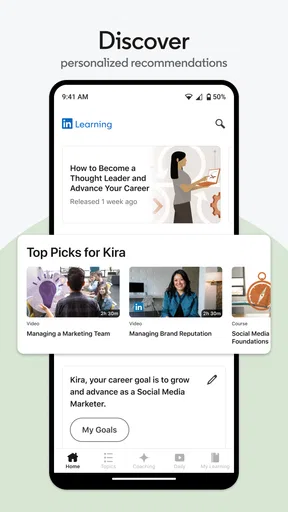
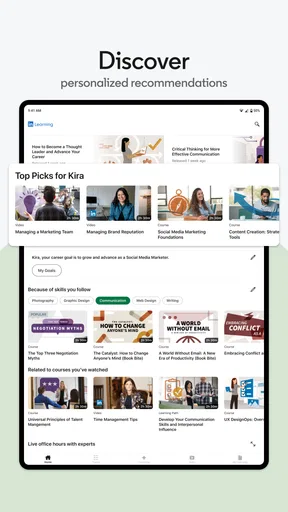
One thing I noticed right off the bat is how the app seamlessly integrates with your LinkedIn profile. If you're already on LinkedIn, the app pulls in data to offer course recommendations tailored to your job role and career aspirations. It feels personal, like the app knows exactly what you need to get ahead.
Content Galore
The real magic of LinkedIn Learning is in its extensive library of courses. Whether you're into tech, business, creative arts, or even personal development, there's something for everyone. I was particularly impressed by the range of topics—everything from mastering Excel to exploring digital marketing strategies.
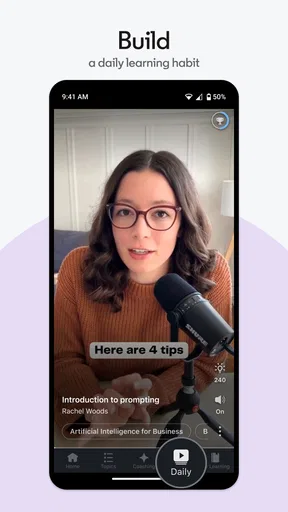
Each course is broken down into bite-sized videos, perfect for learning on the go. I found this format super handy, especially when I was commuting. You can easily fit a lesson or two into a lunch break or while waiting for your coffee to brew.
Engaging and Interactive
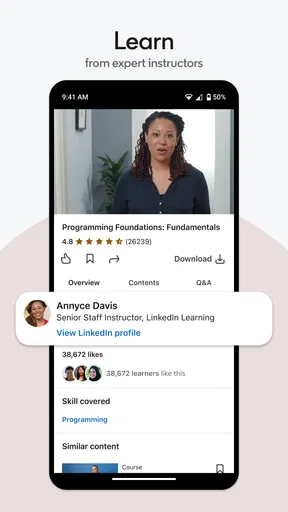
One of the things I love most about this app is how engaging the courses are. The instructors are not just knowledgeable; they’re also great at keeping you hooked. I never felt like I was being lectured; instead, it was like having a conversation with an expert who genuinely wants to share their knowledge.
Interactive elements like quizzes and exercises make the learning process feel less passive. It's not just about watching videos; it's about applying what you’ve learned. This hands-on approach really helped me retain the information better.
Flexibility and Accessibility
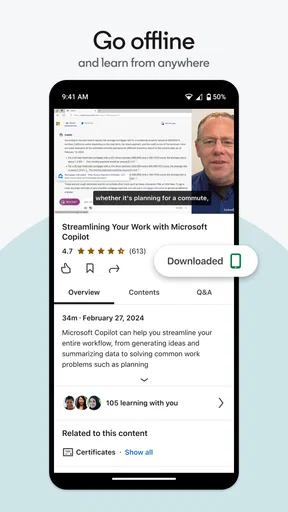
Another aspect worth mentioning is the app’s flexibility. Whether you're using a smartphone, tablet, or laptop, the experience is consistently smooth. Plus, you can download courses for offline viewing, which is a lifesaver if you're traveling or have spotty internet access.
The app also offers subtitles in multiple languages, making it accessible to a global audience. This inclusivity is a big win, allowing non-native English speakers to benefit from the content just as much as anyone else.
Pricing and Value
The app is free to install, and its content rating is Everyone, so it is broadly suitable for learners. Some access is tied to in-app purchases, priced from around $30 to $240 per item, so I would check what a course or learning plan actually includes before committing. That matters if you are comparing it with free video tutorials: the value is not simply in pressing play, but in whether the structured material saves you time and gives you a path you will follow.
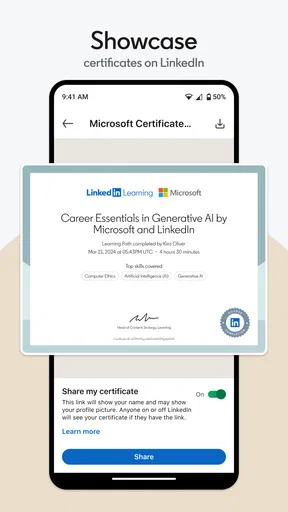
For professionals looking to upskill or change careers, this is an investment worth considering. The courses you complete can be added directly to your LinkedIn profile, showcasing your new skills to potential employers.
Because access can involve paid purchases, I would decide on a specific learning goal before spending. If I only want a quick answer to one narrow question, a free tutorial or documentation may be enough. If I want a guided introduction to a broader subject, a course may justify the expense. The app is free, but I would not assume every lesson or benefit is included without cost.
Choosing the right course and device
One useful way to avoid wasting time is to treat the course description as a promise to check, not a guarantee of fit. I look for a match between the lesson’s level and the task I have in front of me. A beginner course can be reassuring when I am new to a subject, but frustrating if I already understand the basics. An advanced course can sound appealing, yet may move too quickly if I have not learned the vocabulary it assumes.
The app is running at version 2.221.21 and requires Android 9 or later on Android devices. If I am planning to study on a phone, I would first make sure it meets that minimum rather than discovering the issue when I am ready to begin. For learners who switch between a phone and a computer, the larger screen is often better for following detailed demonstrations, while the phone is handy for short viewing sessions. Choosing the device based on the lesson is more useful than expecting one screen to be ideal for every subject.
Another practical question is whether a course will help with a real task or simply feel productive to watch. I would write down what I want to be able to do afterward, then try that task without the video open. If I cannot apply the idea, I can revisit the relevant lesson or decide that I need a different kind of instruction. This quick check turns course completion into evidence of learning rather than a tally of videos watched.
Final Thoughts
All in all, LinkedIn Learning is more than just an app; it's a gateway to a world of knowledge. Whether you're a seasoned professional or just starting out, this platform has something to offer. It's like having a mentor, library, and classroom all in one, right in your pocket.
If you're serious about continuous learning and career advancement, give LinkedIn Learning a try. Who knows? The skills you pick up today could open doors you never imagined tomorrow.
My practical verdict is that I would use it when I want a structured explanation and have a sensible way to practise afterward. I would choose another resource when the task calls for immediate troubleshooting, personal feedback, or a specialist answer that a broad course may not provide. Connectivity affects how conveniently I can fit lessons into the day, but a reliable study habit still depends more on choosing a relevant course and doing something with what I learn than on watching continuously.
Verdict
Strengths of LinkedIn Learning
- Extensive course library available.
- Courses taught by industry experts.
- Offline viewing for flexibility.
- Certificates to showcase skills.
- User-friendly interface.
Limitations of LinkedIn Learning
- Requires subscription for full access.
- Limited interactive elements.
- No live instructor support.
- Some courses lack depth.
- Mobile notifications can be intrusive.
Other Releases by LinkedIn
View All
LinkedIn: Community & Network
Business3.8

LinkedIn Sales Navigator
Business4.3
Similar Picks in This Category
View All
Duolingo: Language Lessons
Duolingo4.7

Google Classroom
Google LLC2.8

Unacademy: Learn & Crack Exams
Unacademy3.2

Bible App for Kids
Life.Church4.4

Cake - Learn English & Korean
Cake Corp.4.7

Brainly: AI Homework Helper
Brainly4.5
Frequently Asked Questions
What is LinkedIn Learning and what does it offer?
LinkedIn Learning is an online educational platform that offers a wide range of courses across various subjects, including business, technology, and creative skills. Users can access thousands of expert-led video tutorials and courses that cater to different skill levels. It is designed to help individuals enhance their skills and advance their careers.
Is LinkedIn Learning free to use?
LinkedIn Learning offers a free trial period for new users, allowing them to explore the platform and its content. After the trial, it requires a subscription, which can be paid monthly or annually. There are often discounts available for LinkedIn Premium members, providing access to both LinkedIn Learning and additional LinkedIn features.
Can I earn certifications through LinkedIn Learning?
Yes, upon completing a course on LinkedIn Learning, users receive a certificate of completion. These certificates can be added to your LinkedIn profile, showcasing your newly acquired skills to potential employers. However, these are not accredited certifications but can still enhance your professional profile.
How does LinkedIn Learning integrate with LinkedIn?
LinkedIn Learning is integrated with your LinkedIn profile, allowing you to seamlessly add completed courses and certifications to your profile. This integration also enables personalized course recommendations based on your job title, industry, and skill set, enhancing your learning experience by focusing on relevant content.
Can LinkedIn Learning be accessed on mobile devices?
Yes, LinkedIn Learning offers mobile apps for both Android and iOS, enabling users to access courses on the go. The app supports offline viewing, allowing users to download courses to watch without an internet connection, making it convenient for learning anytime, anywhere.
